


Website Accessibility: Designing a Law Firm Site to Serve Every Visitor
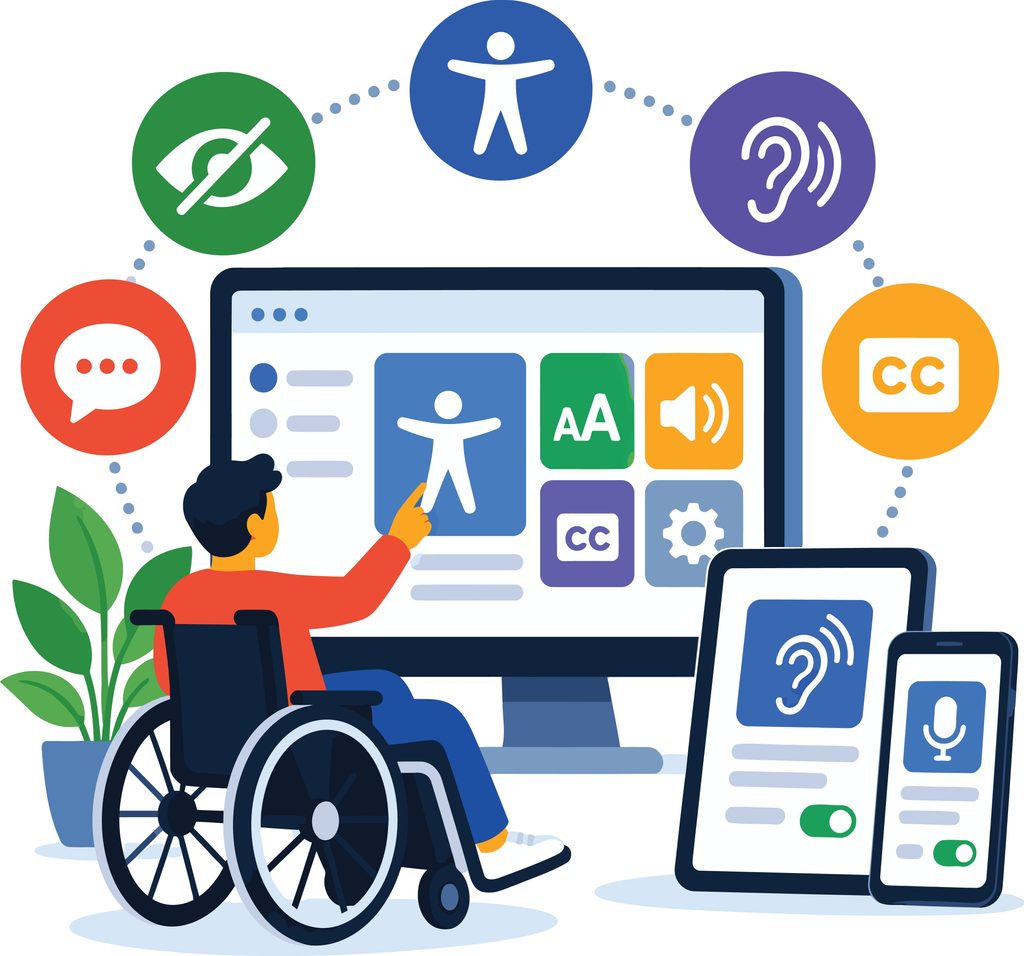
Picture a prospective client visiting your law firm’s website, only to encounter accessibility barriers: a contact form their screen reader can’t interpret, videos without captions, or text that’s difficult to read. Frustrated, they may abandon their search and turn to another firm, costing you an opportunity to build a valuable client relationship. Beyond lost business, accessibility barriers can also expose your firm to legal and reputational risks.
Globally, one in six people live with a disability. In the United States, the CDC reports that more than one in four adults have some type of disability. For law firms, these figures underscore the importance of creating accessible digital experiences that allow prospective clients to find information, evaluate legal services, and connect with attorneys without unnecessary barriers.
How Does the ADA Apply to Law Firm Websites?
The Americans with Disabilities Act (ADA), enacted in 1990, predates the widespread use of the internet and thus does not explicitly address websites. However, the U.S. Department of Justice has long maintained that Title III of the ADA, which prohibits discrimination by businesses open to the public, extends to their online services. Courts have also addressed website accessibility under Title III, although interpretations vary by jurisdiction.
In 2024, the DOJ issued a final rule under Title II, establishing WCAG 2.1 Level AA as the technical accessibility standard for state and local government websites and mobile applications, subject to specified exceptions and compliance deadlines. While this rule does not directly apply to private law firms, WCAG remains an important framework for evaluating website accessibility and identifying potential barriers.
What Does a Law Firm Risk With an Inaccessible Website?
Businesses with inaccessible websites may face legal challenges under the ADA and state laws, including New York’s Human Rights Law and California’s Unruh Civil Rights Act. While private lawsuits under ADA Title III generally allow for injunctive relief and attorney’s fees rather than monetary damages, certain state laws permit financial damages, increasing potential exposure for businesses.
According to digital accessibility tracker UsableNet, more than 2,000 digital accessibility lawsuits were filed in federal and tracked state courts during the first half of 2025. By year-end, that figure had reached more than 5,100 cases, including 3,195 federal filings and 1,919 filings in New York and California state courts.
Legal exposure is only part of the picture. Accessibility barriers can also undermine a firm’s credibility and client experience. When prospective clients cannot navigate attorney biographies, access practice information, or complete intake forms, those barriers can affect their ability to engage with the firm.
What Are the Website Accessibility Standards?
The Web Content Accessibility Guidelines, or WCAG, provide an internationally recognized framework for evaluating website accessibility. WCAG 2.2 Level AA is a useful benchmark for organizations seeking to improve accessibility and address common barriers. While specific legal obligations vary, these guidelines offer law firms a practical foundation for developing and maintaining accessible websites.
WCAG organizes its accessibility requirements around four core principles, commonly known as POUR:
- Perceivable: Information and interface components must be presentable in ways that users can perceive. This means providing text alternatives for non-text content, captions for video, and content that doesn’t rely solely on color to convey meaning.
- Operable: Users must be able to access all functionality by keyboard, not just a mouse. Users must have enough time to read and use content, and designers shouldn’t build anything that could cause seizures or physical harm.
- Understandable: Content and interface behavior must be predictable and readable. Forms must include clear instructions, and error messages must identify mistakes and explain how to fix them.
- Robust: Content must be structured so that assistive technologies, including screen readers, voice control software, and switch devices, can reliably interpret it. This largely comes down to clean, standards-compliant code.
An Accessible Website: A Roadmap for Law Firms
So how can you ensure your law firm’s website is accessible to everyone? It doesn’t end with your build. Accessibility requires a deliberate, continuing effort that involves anyone, from marketing team members to attorneys, who posts anything to your site.
Conduct Regular Accessibility Audits
Automated accessibility tools like WAVE and Lighthouse are a good starting point for identifying common accessibility barriers, but they cannot evaluate every aspect of the user experience. A comprehensive assessment should also include manual testing of keyboard navigation, screen reader compatibility, interactive functionality, and underlying website code.
Combining automated monitoring with periodic technical audits provides a more complete picture of your website’s accessibility, helping you identify issues, prioritize improvements, and plan necessary remediation.
Prioritize Accessibility Fixes
Prioritize issues identified through automated scanning or manual testing based on the following considerations:
- User impact: Does the issue prevent or significantly limit a visitor’s ability to access information or complete a task?
- Business impact: Does it affect a critical page or function, such as an intake form, attorney directory, or practice area page?
- Scope and complexity: How widespread is the issue, and what resources are needed to correct it?
Issues such as missing alt text and unlabeled form fields may be relatively straightforward to address and should be prioritized based on their impact on accessibility. More complex issues, such as inaccessible navigation menus or image-only PDFs, may require additional development resources and a structured remediation plan.
Review Website Content, Forms, and Media
Review videos and webinars to ensure appropriate captions, transcripts, or other accessible alternatives are available. Confirm that PDFs are properly structured for assistive technologies and that third-party tools, including chat widgets, scheduling applications, and cookie consent banners, can be navigated using a keyboard and screen reader.
Train Internal Content Teams
Anyone posting to your site should have a brief checklist reminding them to:
- Use descriptive link text instead of generic phrases like “click here.”
- Organize heading levels in a logical order.
- Include alt text when uploading images.
- Check color contrast before publishing.
Build these checks into your content workflow, so reviewers can catch issues before any page or blog goes live.
Establish an Ongoing Accessibility Review Process
Accessibility should be part of your ongoing website management process, not a one-time assessment. Establish a regular review schedule based on the website’s complexity, frequency of updates, and previously identified issues. Additional testing should also be considered following significant changes to website functionality, design, or content.
Post an Accessibility Statement
Your website should include a statement detailing the specific accessibility standards your firm aims to meet, such as the WCAG. It should also outline any known website limitations and provide contact information so users can easily report accessibility barriers or request assistance.
Was Your Law Firm Website Built with Accessibility In Mind?
Creating an accessible website isn’t a one-time project. As content is added, technology changes, and new functionality is introduced, accessibility should remain part of a firm’s ongoing website management strategy.
Automated accessibility solutions provide valuable support through monitoring and adjustments, while periodic technical audits help identify issues that require additional evaluation or remediation. Together, these efforts help law firms create a more inclusive digital experience, strengthen client relationships, and proactively manage accessibility-related risks.
At Good2bSocial, we’re continuing to expand our website compliance review program to help clients evaluate accessibility, identify opportunities for improvement, and prioritize technical updates.
Connect with our team today to learn more about our approach to website accessibility.


Are you ready to get started generating new, qualified leads?
Contact us to get started and let us help you energize your digital marketing and business development efforts.
Contact Us